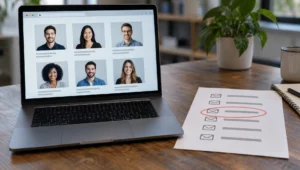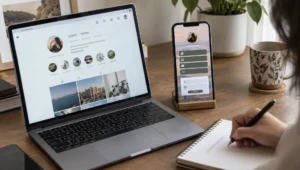
Recruiters, founders, and old colleagues all hit the same wall: a strong LinkedIn profile with no obvious way to write outside the platform. You can still surface LinkedIn contact info email fields when the member shared them, then use respectful fallbacks when they did not. Privacy settings and connection degree control what you see—there is no magic “reveal everyone’s inbox” button.
What you can and cannot see

LinkedIn contact info email addresses appear only when the member added them and visibility rules allow your account to view them. First-degree connections often see more than strangers. Some people list a website, Twitter/X handle, or phone instead of an email. Others show nothing beyond the InMail button.
That limit is intentional. LinkedIn is not a public white pages for every professional inbox. Treat missing contact fields as a boundary, not a bug you must force open with shady scrapers that violate the user agreement and burn your own reputation.
Open LinkedIn contact info email fields on the profile
Sign in, open the person’s profile, and look for the Contact info link—usually near the top under the headline area on desktop, or in the intro section on mobile. Click it. A panel may list email, phone, address, birthday, and instant-message handles if the member saved them and permitted viewing.
If the panel is empty or missing email, stop clicking around hoping for a hidden tab. Move to connection-based or company-based methods next. Screenshot what you do see so you do not mis-type a rare domain later.
Connect or message inside LinkedIn first
When cold outreach is legitimate, a short connection note or InMail that states who you are and why you are writing often beats hunting a private inbox. Many members reply only on-platform until trust exists. Premium InMail credits help for non-connections, but a clear, non-spammy note matters more than the badge.
Do not invent urgency (“your account will close”) or pretend to be LinkedIn staff. Official support never asks for your password through random profiles; the FTC consumer site covers impersonation patterns that show up in professional networks too, and the Better Business Bureau flags shady “lead list” sellers that claim bulk access to private inboxes.
That verify-first habit carries into travel too, where an Airbnb address check before booking shows how to compare a listing’s pin with photos and transit before you pay.
Read About, Featured, and activity for breadcrumbs

Scroll the About section, Featured links, and recent posts. People paste booking pages, personal sites, newsletters, and podcast URLs that lead to a contact form or published address. Company pages and Experience entries sometimes link to team directories on the employer domain.
Copy any personal domain you find, then check the site’s footer or press page. That path is slower than a Contact info email field and usually more welcome than guessing patterns against a corporate mail server.
| Source on LinkedIn | What you might get | When it fails |
|---|---|---|
| Contact info panel | Email, phone, IM, website | Hidden by privacy or never added |
| About / Featured | Sites, calendars, portfolios | No outbound links |
| Experience / Company page | Employer domain clues | Stale job or generic corp site |
| Comments and posts | Event CTAs, newsletters | No contact call-to-action |
| Mutual connections | Warm intro | No mutuals or weak tie |
| Off-platform lookup | Public email trails | Common names; thin digital footprint |
Ask a mutual connection for an introduction
Shared connections beat clever guesswork. Send a concise note to the mutual: why you want an intro, how you know them, and that a decline is fine. A forwarded introduction carries context the cold inbox never will.
If you manage a team, document that warm intros are preferred over purchased email lists. List spam damages deliverability and brand trust faster than a delayed reply.
Search email on LinkedIn and beyond
To search email on LinkedIn, use the main search bar with the address in quotes when you already have an email and want the matching profile—not the other way around. LinkedIn may surface the member if that address is associated and discoverable. This helps verify that a résumé email belongs to the person you think it does.
When you still need an outbound address and the profile will not share one, try public pages, conference speaker lists, or an email lookup tied to a name and company—not a bulk scrape of LinkedIn itself. Cross-check odd results with a people search so you do not email the wrong common name. Deeper methods for tracing addresses appear in our guides on how to trace an email address and Google reverse email search.
An address that leads nowhere on LinkedIn may still surface elsewhere, since a reverse email search across social media follows the accounts people create with the same inbox.
Use LinkedIn to find an office or mailing address
LinkedIn rarely prints a home street on a profile, but it is still one of the best professional maps online. If you need an address lead, usually a city, office, or employer location you can verify elsewhere, collect the public profile signals, turn them into searchable identifiers, and confirm candidates with records rather than guessing from a headline alone.
What LinkedIn can reveal about location
Most members list a metro area, industry, and employer. Experience entries may name cities; About sections sometimes mention relocating; featured media can show event badges or office photos. Company pages list headquarters and regional offices. None of that automatically equals a residential mailing line, and treating it as such creates false confidence.
LinkedIn sits among the largest professional networks worldwide, which is why location fields are rich but uneven—people update jobs faster than hometowns. Pair every LinkedIn clue with independent checks. For consumer privacy context when outreach gets sensitive, review guidance on the FTC consumer site before you contact someone you have not spoken to in years.
Confirm you have the correct LinkedIn profile
Search the person’s full name plus employer, school, or industry keywords. Open the profile and match photo, headline, experience dates, and mutual connections against what you already know. Similar names are common; a wrong profile wastes every later step.
Copy the public profile URL when it is available (typically a linkedin.com/in/ path). Save the headline, current company, listed metro, and any prior cities from experience. If the public profile is limited, you may only see partial fields while signed out—note what is visible without trying to circumvent platform rules or buy shady “full profile” scrapes.
Extract location and employer clues from the profile
Read the location line under the name, then scan Experience for city annotations, remote labels, and date ranges. Education cities can explain older addresses. Volunteer roles and certifications sometimes name local chapters. Write each place as a separate hypothesis: “current metro,” “employer HQ city,” “prior job city.”
Company pages matter. Open the employer’s LinkedIn page and note headquarters and listed offices. If the person is a local sales lead for a national brand, the HQ address is not their home. For retail or clinic roles, the workplace street may appear on the company site or Google Business profile and can serve as a professional address—not necessarily residential.
Turn profile clues into address candidates worth verifying
Move offline-data search with a people search using legal name, age range if known, and the metro from LinkedIn. Rank address candidates that sit inside that metro or a documented prior city. Cross-check relatives and associated phones only as supporting fields.
When you have a street candidate, run a reverse address lookup to see who is tied to the property and whether the household fits. That is the responsible order: social graph for orientation, public-data tools for verification. Our current address lookup guide covers triangulation in more depth if results conflict.
| LinkedIn signal | What it suggests | How to verify next |
|---|---|---|
| Profile metro area | Likely region of life or work | People search filtered to that region |
| Employer + role city | Work location hypothesis | Company site, office listings, licenses |
| Past job cities | Historical address corridors | County records in those counties |
| School / chapter names | Older local ties | Alumni or property history, not current proof |
| Contact/email on profile | Identity anchor | People graph match; never phishing |
Check public records in the right counties
Using the metro and employer region, search county assessor and recorder sites for name matches. Owner-occupied property near the LinkedIn city is stronger than a random out-of-state hit. Deed PDFs sometimes list a mailing address that differs from the parcel, which can signal a newer residence.
Portal indexes such as county public records directories help you find official search pages quickly. Capture document dates. A 2014 deed alone does not prove 2026 residency. If the person moved often, expect multiple historical lines—moving-frequency discussions like how often people relocate explain why LinkedIn’s “open to work in two cities” phase can lag reality.
Use company and professional trails without overreaching
For business correspondence, an office address from the company website or filing may be enough. State business entity searches and professional license lookups can list practice addresses. Keep residential search proportional: reconnecting with a classmate differs from pursuing someone who asked not to be contacted.
Do not impersonate recruiters, scrape behind logins in violation of terms, or buy bulk dumps of profile data from unknown sellers. If a service promises guaranteed home addresses from any LinkedIn URL overnight, treat it like other too-good data offers and check reputation through resources such as the Better Business Bureau.
Corroborate before you mail, visit, or message
Require at least two aligned signals before treating an address as actionable—for example LinkedIn metro + people-search current line + reverse-address household match. Prefer mailing or platform messaging over unannounced visits. Unsolicited appearances can frighten people and may be unlawful depending on conduct and jurisdiction.
When comparing tools and workflows, browse related explainers on best reverse address lookup sites and the reverse address lookup guide. Those paths complement LinkedIn rather than replacing ethical judgment.
Document sources and respect platform boundaries
Save the profile URL, date viewed, fields you relied on, and every public-record link. That paper trail stops you from mixing two people with the same name later. If the member changes country settings, public URL formats can shift; older links may still resolve, but re-open the profile before you reuse notes months later.
Stay inside LinkedIn’s rules and ordinary privacy norms. Do not pressure mutual connections for someone’s home street. Do not use lookup data for FCRA-regulated decisions such as employment or tenant screening unless you are in a compliant process. Purpose limits are part of doing this correctly.
Within those purpose limits, a phone number on a profile can also open up address history tied to a phone number, provided each hit is verified against independent records.
Respect privacy controls and your own settings
Finding contact data is only half the topic people search. If you want to hide or change your own LinkedIn contact info email, open Settings → Visibility (wording varies slightly by app version) and edit who can see your email, or remove addresses you no longer use. You can keep a login email private from your profile while still securing the account.
Review connected apps and download your data occasionally so you know what you stored. Professional visibility is a spectrum: open enough for opportunity, closed enough that random scrapers get little.
Frequently Asked Questions
How do you remove your email from LinkedIn contact info?
Open your profile’s Contact info edit controls or account Settings and delete or unlink the address you no longer want shown. Confirm whether the address is still your login email; removing it from the public panel is different from changing the email you use to sign in. Save changes and view your profile as a non-connection to verify.
How do you change the email in LinkedIn contact info?
Add the new address under contact or email settings, confirm any verification link LinkedIn sends, then remove the old public entry if needed. Keep at least one verified email on the account so recovery still works. Update job-seeker materials so recruiters do not use a stale inbox you no longer monitor.
How do you hide your email from contact info on LinkedIn?
Use visibility settings to limit email to only you, or to first-degree connections, depending on the options available in your app. You can also omit email from Contact info entirely and point people to a website form. Recheck after app updates; menu labels shift and reset checks prevent accidental exposure.
Why is LinkedIn contact info email sometimes blank?
The member may never have added an email, restricted visibility, or shown only a website or phone. Your account type and connection degree also change what fields appear. Blank panels are normal—not a sign that a third-party “unlocker” is required or legitimate.
How do you find someone’s email address using their LinkedIn URL?
Some profiles list email in the Contact section if the member chose to share it. Otherwise, company pattern guessing is unreliable and can look like spam. Prefer documented public contact pages or a people search that already associates email with the same identity—never phishing forms or credential tricks.
Can LinkedIn show a home street address directly?
Almost never on a standard profile. You usually get metro and employer clues, then verify residential candidates through public records and reverse lookups. Treat any third-party claim of a guaranteed home pin from a profile URL alone as high risk until independent records agree.
Is it legal to use LinkedIn data to locate someone?
Accessing public professional information is different from stalking, harassment, or regulated screening uses. Laws and platform terms both matter. Keep your purpose legitimate, minimize data you store, and stop if the person has asked for no contact or if the situation feels unsafe for either side.