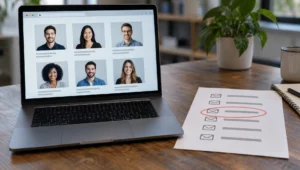
A social media reverse email search starts with one address and hunts for profiles, usernames, and related accounts that reused that inbox. You are not guessing at handles in the dark. You are following the same email trail people leave when they sign up for networks, recovery options, and notification settings.
What you can learn from one inbox
Start with a clean address, run a reverse email check, then pivot into network searches, username matches, and professional profiles. Matches are clues, not courtroom proof. Confirm names, photos, bios, and recovery hints before you trust any single hit, and stop if the use case turns into harassment or stalking.
People reuse inboxes across apps for years. That habit is why reverse email work often surfaces more than a web search alone. Treat every hit as a hypothesis until two or three independent details agree.
For a structured first pass, open an email lookup and record what comes back before you click random profiles. If the trail turns into a handle instead of a full name, switch to a username search and keep the same notebook of findings.
Normalize the address before you search
Typos waste hours. Copy the full address from the original message header when you can, not from memory. Strip spaces, confirm the domain spelling, and note plus-address tags like name+newsletter@domain.com that still route to one mailbox.
Write down where you saw the email: a dating intro, a marketplace chat, a job lead, a recovery email for a shared account. Context changes how much weight you give a social match later. A corporate domain and a free webmail address behave differently on professional networks.
Save a plain-text note with the date, the source, and any display name next to the address. That scrap becomes your control sample when profile names diverge.
Run a reverse email lookup first
Broad people-search style email checks often surface associated names, phone fragments, and profile URLs faster than hunting network by network. Use those fields as leads, not as a finished identity. Cross-check spelling variants and middle initials before you lock a narrative.
Compare the returned name against the tone of the messages you already have. A polished sales pitch paired with a throwaway inbox is a different problem than a long-term personal address. Keep screenshots of any public profile links the tool returns so you can revisit them if the page disappears.
If you need a deeper method map after this first pass, our guide to the best reverse email search tools walks through when free checks stall. Pair that with a Google reverse email search so you capture public pages the index still ranks.
Search major networks with exact and partial strings

Paste the full address into site search boxes and into general web search using quotes. Try both the complete email and the local-part before the @ when a platform hides the domain. Some recovery screens only reveal a masked pattern such as j***@mail.com—use that pattern only as a filter, never as proof by itself.
On visual-first apps, look for the address in bio text, contact buttons, and business account fields rather than expecting a public directory. On professional networks, the same address may sit behind contact-info panels that only appear after a connection request. Do not spam connection requests just to scrape an inbox match; that can lock accounts and may violate platform rules.
When a profile surfaces, check for the same avatar used elsewhere, the same city, and the same writing quirks you already saw offline. One matching detail is coincidence. Three is a pattern worth logging.
| Pivot | What you are looking for | Stronger confirmation |
|---|---|---|
| Full email in quotes | Public bios, résumés, old forum signatures | Same full name plus city |
| Local-part only | Handles that reuse the mailbox nickname | Identical photo or bio line |
| Domain + company name | Work profiles and press pages | Role title matches messages |
| Recovery / mask pattern | Partial characters on login screens | Matches known address shape |
Follow usernames that reappear across apps

Mailbox local-parts often become default usernames. If the address is casey.rivera92@…, search casey.rivera92 and casey_rivera92 on major platforms without assuming every hit is the same person. Gamers recycle handles across decades; so do scammers cloning a real user’s style.
Build a small matrix: platform, handle, profile URL, creation year if visible, and whether the bio mentions the same employer or hobby. That grid prevents you from merging two different people who share a common first name plus birth year pattern.
Mini-scenario: a marketplace seller lists a free webmail address. The reverse check shows a handle used on a photo app with the same rare dog breed in three posts and the same midwestern town in a story highlight. That is stronger than a single name match alone.
Check professional profiles and company footprints
Work inboxes leak into conference speaker lists, PDF decks, and open résumés long after someone changes jobs. Search the address with the company domain and with former employers if you know them. LinkedIn contact fields and about sections sometimes still echo an older personal email even when the headline shows a new role.
For method detail on that path, see how to find contact info on LinkedIn. Keep expectations realistic: many profiles hide emails entirely. You may only confirm that a person with matching credentials exists, then return to social apps where the same face appears under a different handle.
Never invent a corporate email pattern and mass-mail it to verify identity. That is phishing behavior, even if your motive feels defensive.
Weigh privacy, scams, and what not to do
Reverse searching an email that appears in a romance pitch or invoice scam is a legitimate self-protection step. Doxxing a private person or harassing an ex is not. If the messages already show pressure to move money off-platform, prioritize fraud reporting over curiosity. The Federal Trade Commission’s consumer site explains how to report scams and what details matter most.
Trust cues on consumer complaints can also help you see whether an address or business name has drawn public warnings. The Better Business Bureau is one place people document marketplace and service disputes. Use those records as risk signals, not as a final verdict on a stranger’s whole life.
Account reuse patterns evolve, but privacy stakes stay high. Background reading on how people use connected services is available through Pew Research Center’s internet and technology topic hub. When you finish a search, secure your own accounts: unique passwords, multi-factor authentication, and a hard look at which apps still hold your primary inbox.
Log findings and decide your next action
Write a short status line for each lead: confirmed match, weak match, or discarded. Include the URL, the date you viewed it, and the two details that convinced you. If nothing solid appears, that is still a result—many throwaway inboxes were created only for one conversation.
Choose an action that matches the risk: block and report on the platform, refuse payment, notify a platform’s safety team, or escalate to formal fraud reporting with your documentation packet. For broader tracing beyond social apps, how to trace an email address covers headers and other technical pivots when you still have the original message.
Do not confront someone solely on a thin username overlap. Wrong accusations create legal and personal harm. Wait until independent signals line up, or hand the file to a professional who can work within the law.
Frequently Asked Questions
Can you find social media from an email address alone?
Often you can find candidates, not a guaranteed profile. Success depends on whether the person reused that inbox for signups, recovery, or public contact fields. Combine a reverse email check with quoted web searches and username pivots, then confirm with photos, bios, and location details before you treat a hit as the same person.
Is a social media reverse email search free?
Parts of it can be free: careful web search, public profile browsing, and some basic reverse email surfaces. Deeper people-data reports may require paid access. Free layers still demand manual confirmation. Paid data without verification can mislead you just as quickly as a thin free hit.
What if the email never appears on any profile?
Many accounts hide contact fields or use a different recovery address. Try the local-part as a username, search old résumés and PDFs, and review breach notification services only for your own addresses. Absence of a public link does not prove the person is fake—it may only mean strong privacy settings.
Is reverse email searching legal?
Looking up information people left in public or licensed data sources is generally treated differently from hacking, impersonation, or harassment. Laws vary by place and purpose. Do not break into accounts, buy stolen credentials, or use findings to stalk or threaten anyone. When in doubt, talk to a qualified attorney about your situation.