Open the PayPal app yourself before you act on any email about your account. If the problem is real, it will be visible there; if it exists only inside the message, you are looking at a forged alert built to steal your login, card data, or one-time codes. The same toolkit powers bank fraud scam emails and invoice fakes: urgent language, lookalike links, and attachments that should never be trusted from cold contact.
What should you do with the message right now?
Assume it is not from PayPal. A PayPal phishing scam email pushes a cloned login page or malware file so thieves capture credentials or session tokens. Hover every link, skip attachment bait, and sign in only through the official app or a URL you type. Review activity there, then report the lure through published phishing channels.
How does the scam actually work?
Attackers buy or steal address lists, then spray templates that mimic brands you already use. Display names say “PayPal Security” while the true address lives on a throwaway domain. Some campaigns are crude. Others pass SPF-looking displays in mobile previews where the real From header is hard to see. The goal is a single panicked click before you think.
Business email compromise is a cousin: the sender spoofs a vendor or executive and reroutes a payment. Consumer phishing is usually volume-based, thousands of near-identical notes hoping a few people type passwords. The volume approach predates payment brands; our explainer on what 419 scams are shows the same mass-mailed bait aimed at the few who reply. Either way, the inbox is the delivery truck, not the proof of authenticity.
Once a password falls, criminals race through stored cards, shipping addresses, and linked banks. MFA fatigue and SIM-swap follow-ups show up after the first foothold. That is why “I only entered my password on a page that looked right” still becomes a multi-account cleanup.
How do you spot bank and payment clones?
Bank fraud scam emails and payment clones recycle a short menu of plots. Account about to lock. Unusual login from another country. Payment received, please “confirm” by signing in. Overpayment on a sale: keep the extra and refund the difference by wire or crypto. Each plot steers you off the real app.
Visual tells still help. Pixelated logos, wrong fonts, odd spacing, and “Dear customer” with no account fragment are common. So are threats with countdown timers and legal jargon that does not match how the real company writes. Hover (or long-press) links: the visible brand name should match the actual hostname character for character, not paypal-secure-login.top. For the wider set of tells beyond payment lures, our guide on how to spot phishing emails walks through message body, timing, and pressure tactics.
Attachments labeled “invoice,” “shipment,” or “secure message” are not neutral. If you did not expect a file, leave it closed. Legitimate platforms keep sensitive workflows inside accounts you open yourself, not inside random ZIP or HTML attachments.
| Message theme | What they want | Safe response |
|---|---|---|
| Account suspension countdown | Password / MFA codes | Open official app; ignore email link |
| “You received a payment” | Login to fake portal | Check real activity history only |
| Overpayment on a sale | Wire or gift-card “refund” | Ship only after funds fully clear in-app |
| New device login alert | Panic click to malware page | Change password from known bookmark if worried |
| Shared Doc / voicemail file | Credential harvest or malware | Delete if unsolicited |
How do you look into a suspicious email without making it worse?
Start with evidence preservation, not curiosity clicks. Keep the full headers if you know how to show them; screenshot the body; note the time. Do not “test” the link on your daily laptop while logged into banking sessions. A spare browser profile and a security researcher’s mindset (assume the URL is hostile) keep damage contained.
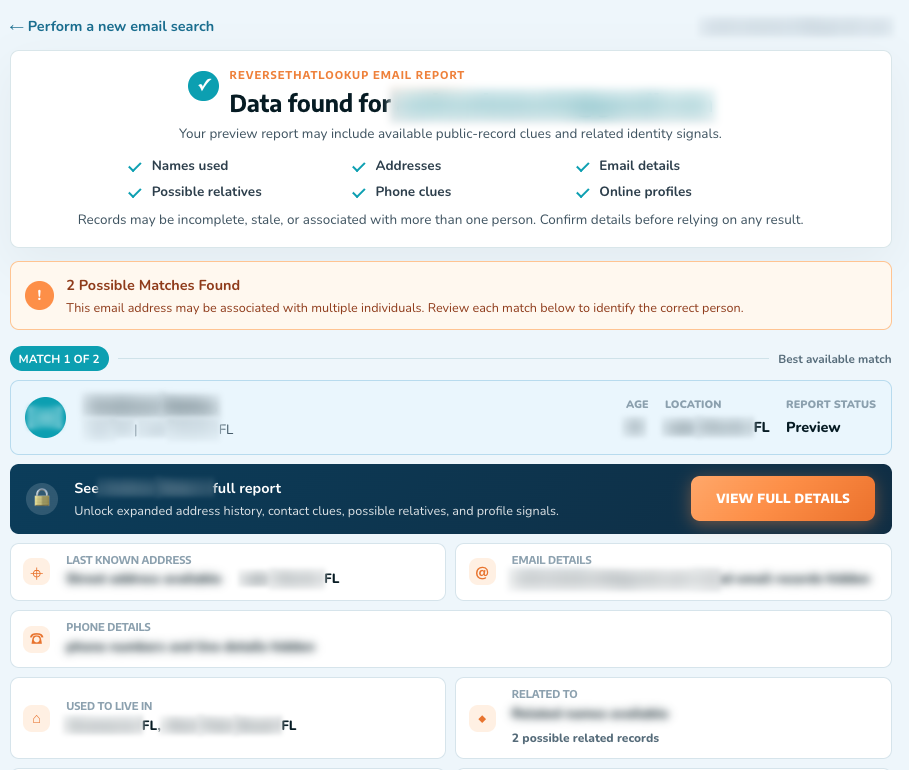
Trace the sending domain’s age and ownership when the From address is fully visible. Lookalike domains often differ by one character or a swapped TLD. Compare against the brand’s published domains only. For a stranger’s address that is harassing or soliciting money, an email lookup can surface public trails that either support a real person or show a disposable pattern.
When the sender claims to be a named individual (a buyer, a landlord, an “HR partner”), pair address checks with a people search on the name and city they gave. Incoherence is informative. Perfect branding with zero real-world footprint is also informative. Investigation is about reducing uncertainty, not proving a courtroom case alone at your kitchen table.
Where do you report it, and what do you check next?
The steps that matter day to day are boring on purpose. Forward suspects to the brand’s published abuse or phishing mailbox when one exists, then delete local copies after you save evidence. If the lure landed in Gmail, our steps to report phishing in Gmail show how to flag it so the filter learns from it. For the wider pattern, the FTC phishing guide explains how to recognize these messages and where to report them, and when money or identity data moved, file with IC3.
Ask three questions before any action the email demands: Did I initiate this? Can I complete the same task inside an app I installed from a trusted store? Does the request involve secrecy, gift cards, crypto, or shipping goods before funds settle? One “no” to the first two or “yes” to the third is enough to stop.
If you already typed a password, change it from a clean device, enable stronger MFA (app or hardware keys beat SMS when available), and review forwarding rules and recovery emails; attackers love silent inbox rules that hide alerts. Call banks using numbers on the card, not numbers inside the suspicious message.
What daily habits shrink the damage a click can do?
Shrink what a single click can do. Unique passwords, a password manager, and MFA on email first (because email resets everything else) remove most of the easy wins. Turn on login alerts. Prefer passkeys where services offer them. Keep OS and browser patches current so drive-by kit pages fail more often.
Filter aggressively. Many phishing waves fail if they land in spam; still, train yourself not to trust “urgent” just because it cleared the filter. For family members who are frequent targets, practice one drill: open the real site from a bookmark, never from a newsletter panic button. The FTC and groups that track consumer fraud keep repeating versions of that rule because it works.
Sellers and freelancers should add process friction: no shipping on “payment received” emails alone; always verify inside the payment account. Buyers should ignore payment requests that jump channels mid-deal. Those habits kill overpayment and invoice-redirect variants cold.
What if the damage is already done?
If funds left a bank or card, call the issuer the same day and ask for a fraud claim. Document case numbers. If a PayPal-branded lure harvested credentials, secure the real account from the official app, review linked banks, and watch for secondary phishing that pretends to be “support recovering your case.” When that follow-up arrives by phone instead, our guide on how to identify scam calls fast applies the same verify-offline test to the caller.
Identity exposure (SSN images, passport scans, utility bills) calls for credit freezes or alerts and careful monitoring. Local police reports help when banks request them; national portals help pattern detection. Avoid “recovery agents” who message you unsolicited after a loss; that second bite is common.
You can also log patterns with BBB Scam Tracker to warn others. Sharing the subject line and domain (not your passwords) helps neighbors spot the same wave.
Frequently Asked Questions
How can I tell if a PayPal phishing scam email is fake?
Check the true sender domain, hover links for hostnames that are not PayPal’s, and refuse attachments you did not request. Open the official app yourself and compare activity. Real account problems remain visible after you log in that way. Threats that exist only inside the email are theater.
What should I do if I clicked a phishing link?
Disconnect from the page, change the password for that service from a known-good device, rotate email passwords if reused, and enable MFA. Scan for malware if you downloaded a file. Monitor bank and payment accounts. Report the URL through the brand’s phishing address and consumer fraud reporting sites when money or data was at risk.
Does PayPal email you for your password?
Phishing guides and platform security pages stress that passwords belong only on genuine login flows you initiate, not in reply threads or random forms. If a message demands your password in-line or via a surprise link, treat it as hostile. Use the app or a typed URL, then review the Resolution Center or activity list inside the real account.
Are bank fraud scam emails only about wire transfers?
No. Many harvest credentials so thieves can add payees, enroll Zelle, or steal card numbers later. Others push fake “secure message” portals. Wire and gift-card asks are loud versions; quiet account takeover can start with a single cloned login page that looks ordinary on a phone screen.