A reverse iCloud email lookup starts with an Apple-hosted address—usually ending in @icloud.com, @me.com, or @mac.com—and asks who or what sits behind it. Unlike some workplace domains, Apple publishes almost no account-holder directory, so results depend on public traces the person left elsewhere: social profiles, breach corpora they already know about, marketplace listings, or documents that cite the same mailbox. Expect partial hits more often than a full dossier.
What reverse iCloud email lookup can return
When a reverse iCloud email lookup succeeds, you typically see a display name, linked usernames, old forum posts, classified ads, or other emails and phones that co-occur in public records. Sometimes you only learn that the address is a real mailbox format with no human label attached. Both outcomes are useful: a thin result still tells you not to trust a rich backstory that appeared only in a chat window.
Verification—does the mailbox accept mail?—is a separate question from identity. Bounce tests and SMTP probes can be abusive and unreliable; focus on public association, not hacking into Apple’s systems. Anything that asks you to “unlock iCloud” with a stranger’s password is a scam, full stop.
The same no-hacking rule applies when a dating match hands over a mobile number, and a reverse phone check for dating matches compares line type and location against their profile.
Why Apple addresses are harder than work email
Corporate addresses often appear on team pages, press releases, and WHOIS history. iCloud mail is a personal freemail layer. Apple’s Hide My Email and Sign in with Apple flows create relay addresses that forward to a real inbox while showing a random string to the merchant. If you only hold the relay, reverse lookup may dead-end by design.
Legacy @me.com and @mac.com addresses still work for long-time customers and can surface older footprints from the MobileMe era. Newer @icloud.com strings may be sparse online if the owner uses them only for Apple services and never as a public byline.
Run a structured lookup workflow
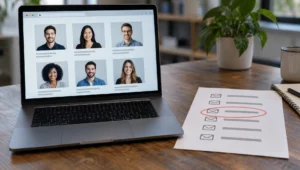
Paste the full address into an email lookup tool that searches public and commercially aggregated sources. Note every returned name spelling, username, and secondary contact. Then test those names against a people search to see whether phone or location data aligns with what the sender claimed.
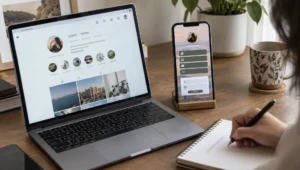
Next, search the web with the address in quotes. Try variants without the domain if a username is distinctive. Check image results only when a public avatar is already tied to that mailbox—do not deepfake or social-engineer Apple support. For DIY engine tactics, see Google reverse email search and broader methods in how to trace an email address.
If the sender claims a professional role, compare the iCloud address to any company domain on their LinkedIn or website. Many legitimate freelancers use iCloud personally while listing a work domain for clients; the mismatch alone is not proof of fraud, but a bank “fraud department” that only writes from a free Apple address deserves a hard stop.
| Signal | More reassuring | More concerning |
|---|---|---|
| Address type | Long-standing @me.com/@mac.com with history | Brand-new string, no web history |
| Hide My Email relay | Expected for app signups | Used for “bank” or “IRS” outreach |
| Name match | Consistent across public profiles | Different names per platform |
| Phone offered | Matches lookup associations | VoIP with no footprint; pressure to call now |
| Request | Normal logistics, no money movement | Gift cards, crypto, remote access |
| Meeting | Willing to video on a known app | Endless excuses to avoid live face time |
Hide My Email, aliases, and dead ends
Relay addresses exist so merchants never store your real mailbox. Reverse lookup on the relay often returns only the fact that it is an Apple privacy alias. That is a feature for the owner, not a failure of your research. Ask for a non-relay contact through a channel you already trust, or verify identity another way—video call, mutual friend, official portal message.
People also create plus-style local tags and secondary iCloud addresses. Seeing two Apple mails for one person can be normal household logistics. Seeing five brand-new iCloud strings rotating through romance chats is a different story.
Scam patterns that ride on iCloud mail
Romance, investment, and tech-support scams sometimes prefer consumer freemail because it looks personal. The content matters more than the domain: urgency, secrecy, and money movement are the real tells. Consumer guidance from the Federal Trade Commission and complaint patterns collected by the Better Business Bureau still apply when the From: line ends in icloud.com.
Never approve Apple ID prompts, share two-factor codes, or grant screen control because an email claimed your photos were locked. Apple will not demand payment in gift cards to “restore” iCloud. If money already left, contact your bank and preserve headers and full message bodies for reports.
Ethics and limits of lookup tools
Use reverse lookup for consent-friendly reasons: confirming a buyer, checking a contractor, or vetting a risky unsolicited message. Do not use it to stalk, harass, or bypass restraining orders. Tools surface public associations; they do not grant a right to spam or intimidate.
Results can be wrong—shared computers, old forwards, scraped typos. Always seek a second channel before you accuse someone or ship valuable goods. When the trail is empty, that emptiness is your answer: proceed only with caution, not with invented certainty.
Frequently Asked Questions
What is a reverse iCloud email lookup?
It is the process of starting from an Apple-hosted email address and searching public and aggregated sources for the person or organization tied to it. You may find names, usernames, or other contacts—or almost nothing when the owner uses privacy relays and keeps a low public profile.
Can you see the owner of any @icloud.com address?
No. Apple does not publish a global directory of iCloud users. Lookup quality depends on what the person exposed elsewhere. Hide My Email addresses and lightly used accounts often return no reliable personal label, which should slow you down rather than push you toward illegal access attempts.
Does Hide My Email block reverse lookup?
Often, yes, in practical terms. The merchant-facing relay is not meant to reveal the underlying inbox. You may confirm it is an Apple privacy alias without learning the human behind it. Switch to another verification method if identity truly matters for a transaction.
Is reverse looking up an iCloud address legal?
Searching public information and using lawful people-search tools is generally treated differently from hacking, phishing, or buying stolen credentials. Laws vary by place and purpose; harassment and unauthorized access remain illegal. Stick to open sources and legitimate services, and stop if your use case turns invasive.