Start with your carrier’s return-call and call-trace codes, then turn on spam identification, and run any digits you recover through a reverse lookup. A blank banner means the caller blocked delivery of their number, used a privacy feature, or routed the call through a system that strips it. No single button unmasks that; you stack phone features, carrier tools, and lookups until a number appears.
What does “No Caller ID” actually mean?
Your handset never received a usable calling number to show. The other party may have dialed with caller ID restricted, a PBX may have suppressed the line, or a scammer may be hiding behind a gateway. Spoofing is different: you might see a fake local number that is not the true origin.
Carriers use several labels for a withheld number, and they do not all mean the same thing, so read the difference between unknown and private callers before you decide which recovery path fits. A deliberately blocked line and a number the network simply failed to deliver call for different tools.
You will not always recover a name in minutes. Some paths only work on the most recent call. Others record data for police rather than reading a number aloud to you. Set expectations early so you pick the right tool for spam versus threats.
Unsolicited call volume is a long-running consumer problem; background reading on how people experience phone and internet risk sits on the FTC consumer site. Use that mindset when a private call suddenly demands money or personal data.
Log the call before you touch anything
Write down the date, time, whether you answered, and any voicemail wording. Note your phone model and carrier. If several private calls arrived in a row, order them carefully; star codes often only care about the last inbound attempt.
Do not call back random “local” numbers from a later spoof just because you are angry. Capture facts first. A short note on paper beats relying on memory when you talk to support.
Try last-call return features carefully
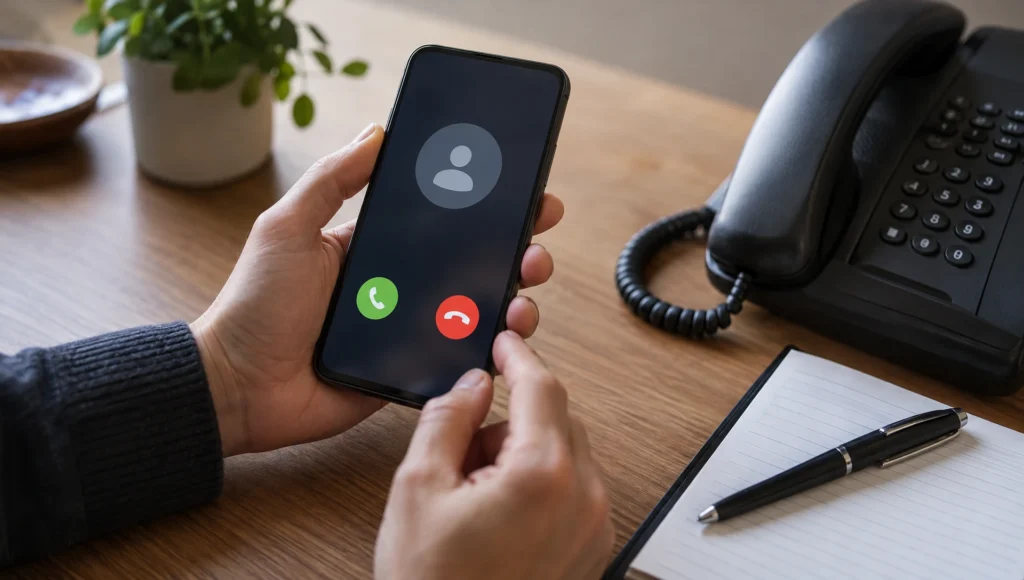
On many landlines and some mobile setups, dialing *69 (or your carrier’s “return call” feature) attempts to identify or redial the last incoming call. Listen to the automated prompt. Some systems announce a number and offer a callback; others connect without reading digits aloud.
Limits are real. *69 usually covers only the most recent inbound call, may not work on restricted or certain VoIP paths, and can carry a small fee depending on your plan. If the private call was not the last ring because a friend called after, the feature may point at the wrong person.
If the announcement gives you digits, save them immediately. That string is what you will later run through a reverse phone lookup.
Use call tracing for threats or harassment
When the content is threatening, stalking, or clearly criminal, *57 (call trace) is the feature built for law enforcement handoff on many traditional phone networks. After the call ends, dial *57 and follow the voice prompts so the carrier can mark the originating details in their systems.
You typically will not hear the number read back. Success often means the data is stored for police with a case number, sometimes with a per-use fee if the trace completes. Ask your carrier for current pricing and availability; mobile and VoIP customers may have a different process entirely.
File a police report when safety is at stake and give officers your trace confirmation. Keep your own timeline of calls. Traces without a report often go nowhere because carriers release origin data through legal channels, not casual curiosity.
Turn on built-in caller ID and spam tools
If almost every call looks blank or “Unknown,” your identification settings may be off. On iPhone, open Settings, find Phone (or Apps → Phone on newer iOS layouts), then Call Blocking & Identification. Enable business or spam identification features your carrier or installed apps provide, and consider silencing suspected junk callers if you prefer fewer interruptions.
On many Android Phone apps, open the app’s settings for Caller ID and spam, turn on caller ID & spam display, and optionally filter likely spam. Exact menus vary by manufacturer, so search settings for “caller ID” if the path differs.
These toggles will not pierce every intentional block, but they reduce mystery around marketing and robocall traffic so true private calls stand out. If the blank calls are mostly robocall noise rather than one persistent person, our walkthrough on blocking spam calls on any phone covers the carrier apps and silencing settings worth turning on first.
Ask your carrier what they can surface
Support can confirm whether *69 and *57 work on your line, enable network-level caller ID where available, and walk through account-level call blocking. For repeated harassment, ask about traceback programs and how to document illegal spoofing.
Bring your call log. Vague “someone keeps calling private” tickets move slower than a dated list. If the account is a business line or hosted PBX, the admin portal, not only the handset, may hold CDRs that show more than your phone screen.
Reverse-search any number you recover
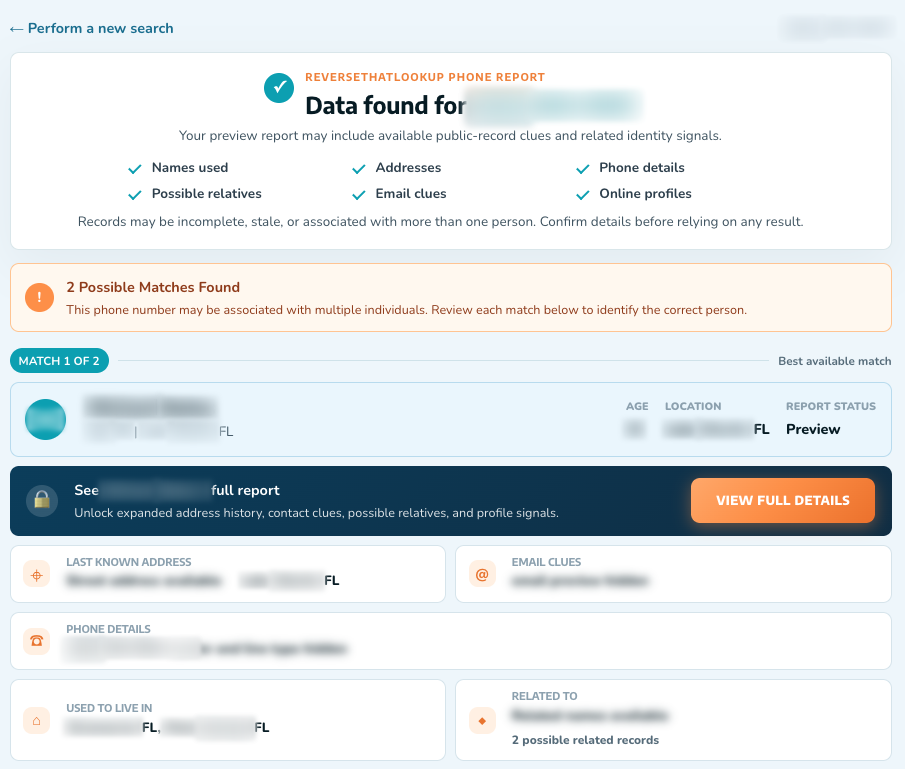
Once you have digits from voicemail, *69, a carrier portal, or a callback slip, run them through reverse lookup tools. Look for owner names, location hints, and line type. Then sanity-check a returned name with a people search so you are not acting on a recycled or mismatched identity.
Example: *69 reads back a number that maps to a small town two states away while the voicemail claimed to be your local “fraud department.” That mismatch is your cue to hang up on the story, not to wire money. Lookup data supports decisions; it does not replace police when threats are real.
| Method | What you might get | Best use |
|---|---|---|
| Call log notes | Times and patterns | Every investigation |
| *69 / return call | Last inbound number or redial | Immediate follow-up |
| *57 / call trace | Carrier record for police | Threats, stalking |
| Phone spam ID settings | Labels on future calls | Robocall noise |
| Carrier support / CDRs | Account-level detail | Persistent problems |
| Reverse phone lookup | Name and location leads | After you have digits |
Report scams and lock down callbacks
If the private call pushed crypto, gift cards, tax threats, or package fees, treat it as a scam pattern even without a number. Report through FTC channels and your carrier’s spam tools so the campaign is counted. Do not return calls that demand secrecy or urgent payment.
Block numbers you later identify. Enable silence-unknown-callers features if your life allows missing some cold calls. For marketplace and dating contacts who hide their line while pressuring you financially, walk away; privacy used as a weapon is a signal, not a mystery to solve at any cost.
When a callback number does surface, you can check its complaint history and typical scam patterns with our guide to telling whether a number is a scammer before you decide to pick up again. Independent complaint boards and the BBB can help you see whether a business name spoken on the call matches a real firm, another check after you recover digits. Stay ethical: lookups are for safety and verification, not doxxing neighbors.
When will a blocked call stay hidden?
Even a careful process has ceilings. International gateways, some enterprise trunks, and modern spam platforms may never present a number your handset can store. Spoofed caller ID can show a neighbor’s line while the audio comes from elsewhere, so a reverse hit on the displayed digits may describe an innocent person. If the number you recovered looks local but the story does not add up, read how to trace a spoofed phone number before you contact whoever owns the displayed line.
That is why harassment cases prioritize carrier traces and police reports over public lookup alone. Lookups shine after a real number is recovered; they cannot invent one from a blank banner. If a caller refuses to leave a legitimate callback and pushes panic payments, end the conversation. Identification is secondary to not funding the scam.
Keep your own number’s privacy settings intentional. Review which apps can see call logs. When you share your mobile on forms, expect more cold rings later, and not all of them will show clean IDs. Reducing how widely your digits circulate lowers the odds you will need this playbook every week.
Frequently Asked Questions
How do I find out who called from No Caller ID?
Log the call, try your carrier’s last-call return feature such as *69 when available, and use *57 call trace for harassment so the network stores origin data for police. Enable phone spam identification for future rings. When any digits appear, run a reverse phone lookup and confirm names with a second source before you act.
Can I unmask a No Caller ID call on a normal phone plan?
Start with device call history and carrier feature codes, then contact support if codes fail on mobile or VoIP. Not every plan can reveal a restricted presentation number to the subscriber. Threatening calls should go through trace plus law enforcement rather than endless redial attempts that expose you to more social engineering.
How do I see a No Caller ID number on iPhone?
Check Phone settings for Call Blocking & Identification and turn on available caller ID and junk-silencing options. Review the Phone app Recents list for any partial data. iPhone alone cannot always unmask intentional blocking; pair settings with carrier features and reverse lookup once a number surfaces in voicemail or return-call tools.
Can reverse lookup identify a fully blocked call by itself?
No. Reverse tools need a number to query. Blocked presentation means your first job is recovering digits through carrier features, voicemail, or official records. After that, reverse phone lookup and people search help you interpret who may be attached to the line and whether the story matches.